Protect Yourself from Ransomware
Overview
A practical guide for business users on understanding ransomware, reducing risk, and responding sensibly.
Ransomware is one of the most disruptive cyber threats facing businesses today. A successful attack can lock staff out of files, interrupt normal operations, expose sensitive information, and create days or even weeks of recovery work. The encouraging news is that sensible precautions make a real difference. Protecting your business does not require panic or specialist knowledge. It calls for a steady, practical approach: keeping systems current, being cautious with email and downloads, using strong authentication, and making sure your data can be recovered if the worst happens.
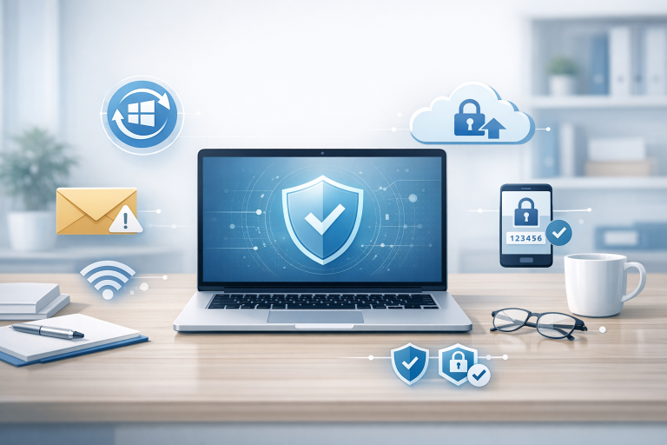
Ransomware protection is built on practical habits: updates, caution, strong authentication, and reliable backups.
What ransomware is and what it tries to do
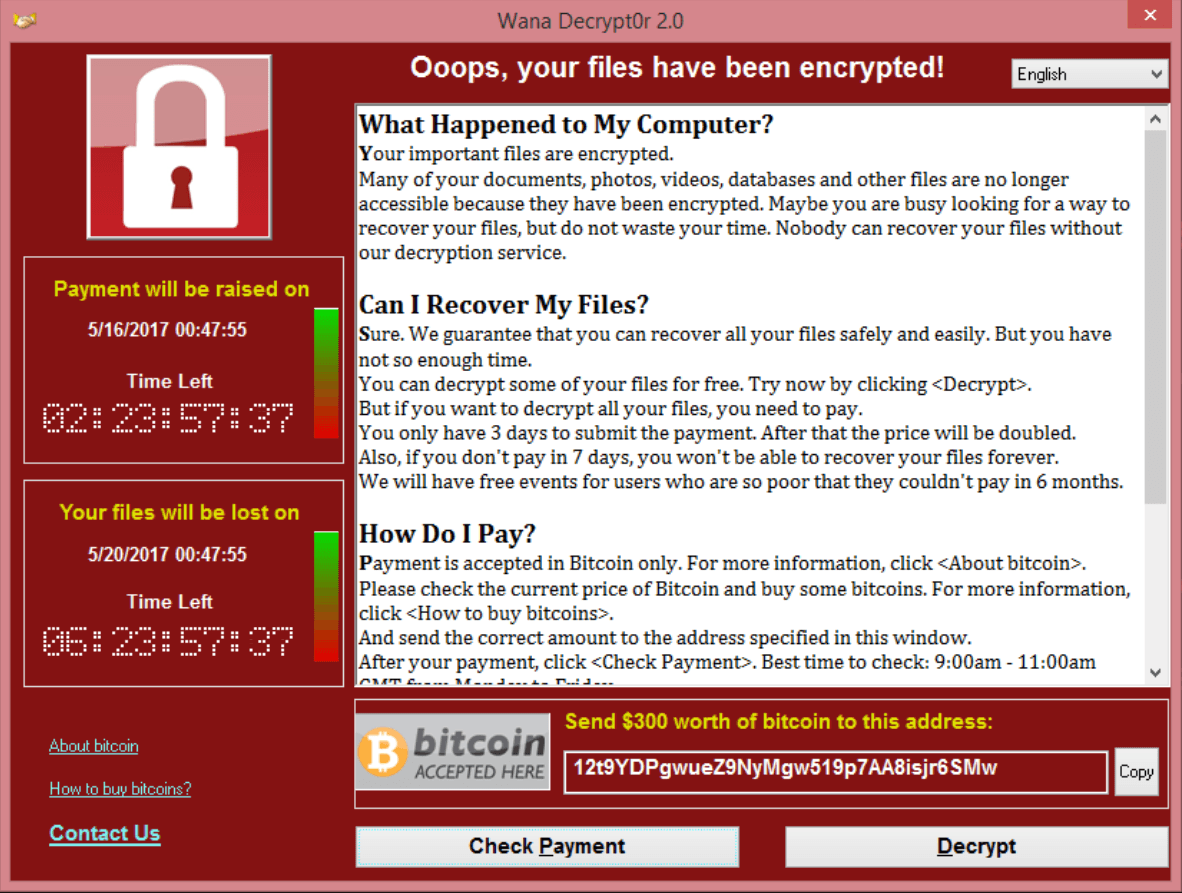
Ransomware is malicious software designed to deny access to your files or systems until a payment is made. In its most common form, it encrypts documents, spreadsheets, databases, pictures, and other files so they cannot be opened. A message then appears demanding money, often in cryptocurrency, in exchange for a decryption key. Modern ransomware attacks may also involve data theft. This means criminals may threaten to publish stolen information if the victim refuses to pay, a tactic often referred to as double extortion.
The goal is straightforward: create enough disruption and urgency that a business feels pressured to pay. Attackers commonly get in through phishing emails, malicious attachments, stolen passwords, weak remote access systems, or software vulnerabilities that have not been patched. Once inside, they may move through the network, gain higher privileges, disable backups, steal data, and only then trigger the encryption stage.
A brief history of ransomware
Ransomware is not new. One of the earliest known examples was the AIDS Trojan, also called the PC Cyborg virus, which appeared in 1989. It was distributed on floppy disks and demanded payment by post. Early versions were crude, but they introduced the basic idea of holding digital information hostage for money. Over time, ransomware became more dangerous as internet access expanded, encryption methods improved, and cryptocurrencies made payments easier for criminals to receive.
A major turning point came in May 2017 with the WannaCry outbreak. WannaCry spread rapidly around the world by exploiting unpatched Windows systems, affecting more than 200,000 computers and disrupting organisations in over 150 countries. It showed in very practical terms why timely software updates matter. Many of the systems affected had not installed security patches that were already available. WannaCry remains one of the clearest real-world examples of how a neglected update can turn into a business crisis.
Why ransomware has not been defeated
Ransomware has not been defeated because it is no longer a single threat or one piece of malicious code. It has become a criminal business model. Attackers adapt their tools, reuse techniques, buy access to compromised systems, exploit newly discovered vulnerabilities, and use ransomware-as-a-service schemes that allow less technical criminals to take part. Security tools can detect many known threats, but criminals keep changing their methods, which means defence depends on layers of protection rather than virus scanning alone.
Why ransomware is still a serious business risk
Ransomware continues to affect organisations of all sizes, including small and medium businesses. Recent reporting shows that attacks remain widespread and that many criminal groups are targeting organisations that may not have large in-house security teams. The financial impact is often far greater than the ransom demand itself. Downtime, recovery work, lost productivity, legal advice, customer disruption, and reputational damage can quickly push the total cost far higher than many business owners expect. Depending on the size and complexity of the organisation, recovery costs can run from tens of thousands of dollars into the hundreds of thousands or more.
Another important change is that attackers are no longer relying only on encryption. Many now steal data before locking systems, then threaten to release that information publicly if the ransom is not paid. This raises the stakes for businesses because the impact can include privacy breaches, regulatory obligations, and loss of customer trust as well as system downtime. For that reason, ransomware should be treated as both an IT risk and a business continuity risk.
Practical steps every business user can take
Keep Windows 11 and business software fully updated. Security updates close known weaknesses that criminals actively look for. The lesson from WannaCry is still relevant: patching matters. Make sure Windows 11 updates are installed promptly, browsers are current, and commonly used software such as Microsoft 365 apps, PDF tools, remote access tools, and line-of-business applications are kept up to date as well.
Be cautious with email attachments and links. Email remains one of the most common entry points. Be especially wary of unexpected invoices, scanned document notices, password reset messages, courier notifications, or anything urging immediate action. If something feels unusual, pause and verify it with the sender through a known phone number or trusted contact method before opening anything.
Avoid unsafe websites, pirated software, and unknown downloads. Malicious advertising, fake software updates, cracked software, and untrusted websites can all be delivery channels for malware. Stick to reputable websites, official app stores, and trusted vendors. If you are unsure whether a download is legitimate, check with your IT provider before running it.
Use strong passwords and multi-factor authentication. Stolen or guessed passwords are a common way into business systems, especially email, Microsoft 365, and remote access tools. Use unique passwords for every service, store them in a password manager where possible, and enable multi-factor authentication on all important accounts. This step alone can block many opportunistic attacks.
Maintain backups that are separated from day-to-day systems. Good backups are one of the strongest defences against ransomware. Backups should be regular, tested, and kept in a way that attackers cannot easily delete or encrypt them as part of the attack. A backup that has never been tested is only a hope, not a recovery plan.
Use built-in security features in Windows 11. Windows 11 includes protections such as Microsoft Defender, tamper protection, and Controlled Folder Access, which can help prevent unauthorised changes to important files. These features are not a complete solution on their own, but they add a valuable layer of protection when properly configured.
Report suspicious activity early. If your computer suddenly behaves oddly, files will not open, a login prompt appears unexpectedly, or you notice unusual pop-ups or account activity, report it immediately. Early reporting can give your IT support a chance to isolate a problem before it spreads more widely.
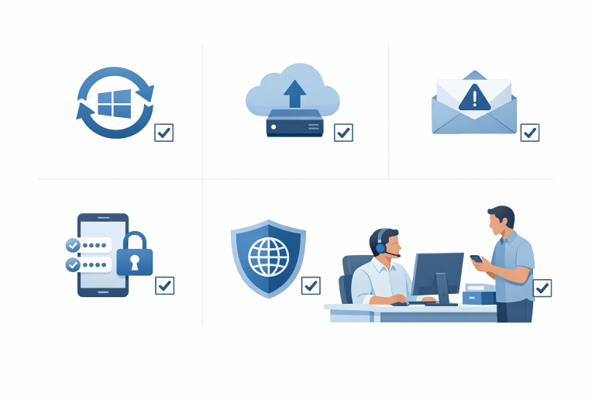
Good security practices significantly reduce the likelihood and impact of a ransomware attack.
If you take only one set of practical steps from this article, make it the checklist below.
Ransomware prevention checklist
- Install Windows 11 updates promptly and keep business software current.
- Treat unexpected email attachments, links, and urgent requests with caution.
- Avoid untrusted websites, pirated software, and unofficial downloads.
- Use strong, unique passwords and enable multi-factor authentication wherever possible.
- Keep regular backups and test that they can actually be restored.
- Use Microsoft Defender and consider enabling Controlled Folder Access on suitable systems.
- Limit administrator access and report suspicious activity early.
- Make sure staff know who to contact if something does not look right.
If your business is hit
If ransomware is suspected, disconnect the affected device from the network and contact your IT provider or security support straight away. Do not assume that paying a ransom will solve the problem. Authorities in New Zealand strongly discourage ransom payments because payment does not guarantee recovery, may encourage further criminal activity, and can create additional legal or sanctions issues.
For New Zealand businesses, cyber ransom incidents should be reported to the appropriate authorities. Reporting helps the wider response effort and may provide access to advice on next steps. Even if a business is small, early reporting and professional support can make a major difference in limiting the damage.
A sensible, steady approach is best
Ransomware is a genuine business risk, but it is not something that should drive fear or helplessness. The right response is to take it seriously and deal with it methodically. Keeping Windows 11 updated, being careful with email and downloads, using strong authentication, maintaining reliable backups, and reporting suspicious activity early will dramatically reduce your exposure. In most businesses, disciplined habits and a few well-chosen protections do far more than alarm ever will.
Where this guidance comes from
This article draws on guidance and reporting from recognised cyber security authorities and current industry research. Key sources include the Cybersecurity and Infrastructure Security Agency (CISA) #StopRansomware guidance, Microsoft security guidance for Windows and Microsoft Defender, CERT NZ and New Zealand government ransomware guidance, the FBI Internet Crime Complaint Center (IC3) annual reporting, and current ransomware research from Sophos. The author's extensive experience dealing with both the human and technical aspects of ransomware attacks informs this guidance.